Overview
Brown is not in the rainbow. It is what orange and red look like when they are dark and muted, especially next to brighter colors.
The CSS keyword brown is #A52A2A, which looks more like a red-brown. Browns that lean toward yellow, such as tan and khaki, sit at the light end. Chocolate, coffee and umber sit at the dark end.
Many brown names come from things you can touch: wood, nuts, coffee, leather and earth. Several started out as pigments dug from the ground.
| HEX | #A52A2A | |
|---|---|---|
| RGB | rgb(165, 42, 42) | |
| HSL | hsl(0, 59%, 41%) | |
| HSV | 0°, 75%, 65% | |
| CMYK | 0, 75, 75, 35 | |
| OKLCH | oklch(48.1% 0.160 25.6) |
Types of brown
Golden browns
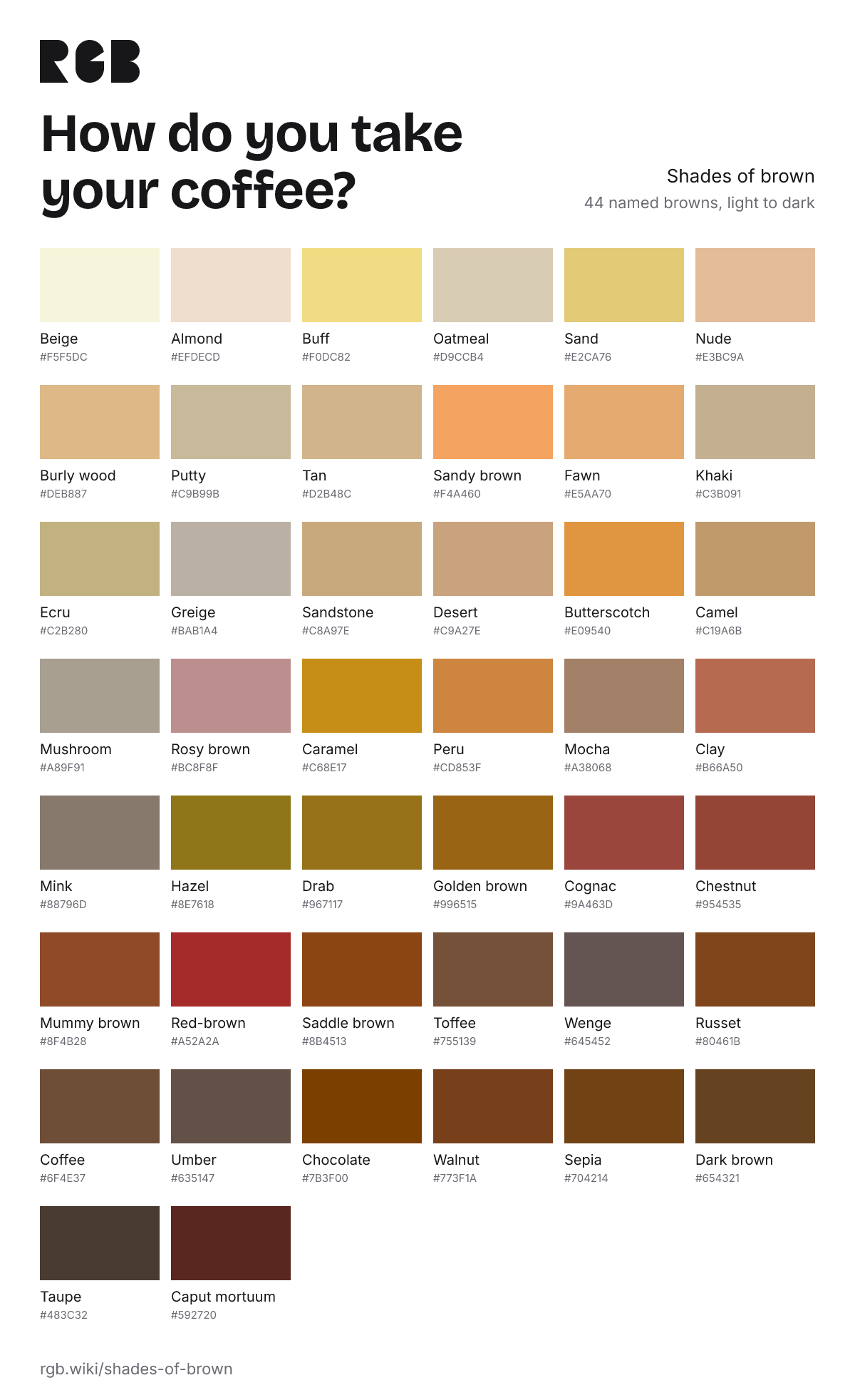
Browns with a yellow lean: caramel, camel, butterscotch, golden brown and hazel.
Dark browns
The deepest browns: chocolate, coffee, walnut and dark brown.
Browns from pigments
Names that come from how the color was made: umber, a natural earth, sepia, from cuttlefish ink, and mummy brown, once made from ground-up Egyptian mummies.
Light, dark and other browns
Plain names like these have no single official code. Each card shows a typical value; click it to copy.
All 44 browns, light to dark