Overview
Orange sits between red and yellow in the rainbow. The color takes its name from the fruit, not the other way round.
The CSS keyword orange is #FFA500: red at full strength, green at about two-thirds and no blue. Less green gives a redder orange; more gives a yellower one.
Add white and orange softens into peach and apricot tones. Darken it and it turns into the coppers and browns: burnt orange, copper and sienna are all darkened oranges.
| HEX | #FFA500 | |
|---|---|---|
| RGB | rgb(255, 165, 0) | |
| HSL | hsl(39, 100%, 50%) | |
| HSV | 39°, 100%, 100% | |
| CMYK | 0, 35, 100, 0 | |
| OKLCH | oklch(79.3% 0.171 70.7) |
Types of orange
Bright oranges
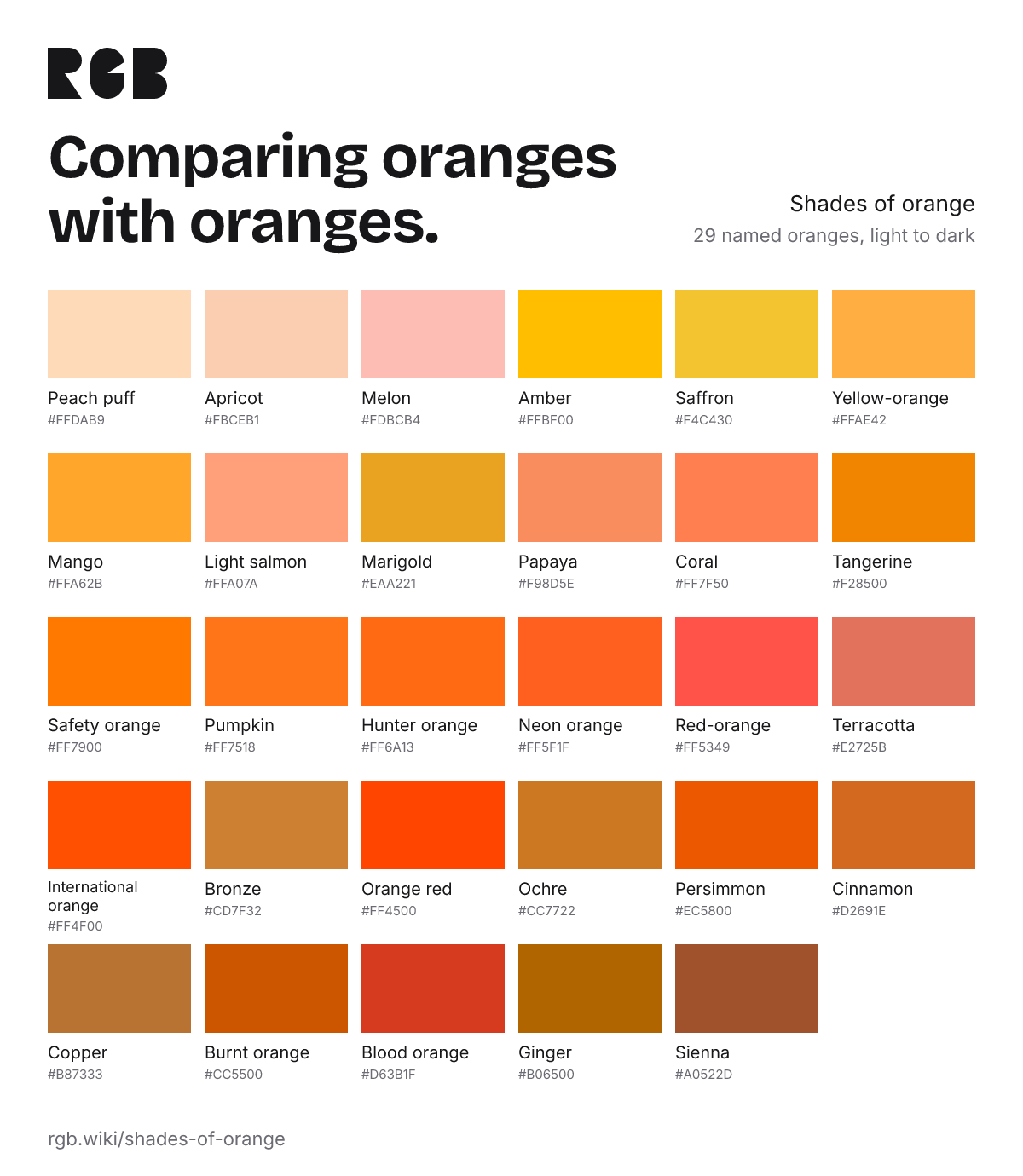
Strong, saturated oranges, some made to be seen from far away: tangerine, pumpkin, safety orange, neon orange and international orange.
Yellow-oranges
Oranges that lean toward yellow: amber, saffron, marigold, mango and yellow-orange.
Soft oranges
Orange with white in it: apricot, melon, peach puff, light salmon and papaya.
Red-oranges
Oranges that sit closer to red: coral, red-orange, blood orange, persimmon, orange red and terracotta. Coral is the lightest and pinkest of them.
Light, dark and other oranges
Plain names like these have no single official code. Each card shows a typical value; click it to copy.
All 29 oranges, light to dark